How to Change Upload Limit on CyberPanel?
if you want to upload a file from the file manager on CyberPanel and the size of the file is large according to the upload limit. Then you need to change (Mostly increase) the default setting. In this article, we show how to change the upload limit on cyberpanel step by step.
Change Upload limit On CyberPanel
Login to your CyberPanel using the link:
https://<your-ip>:8090
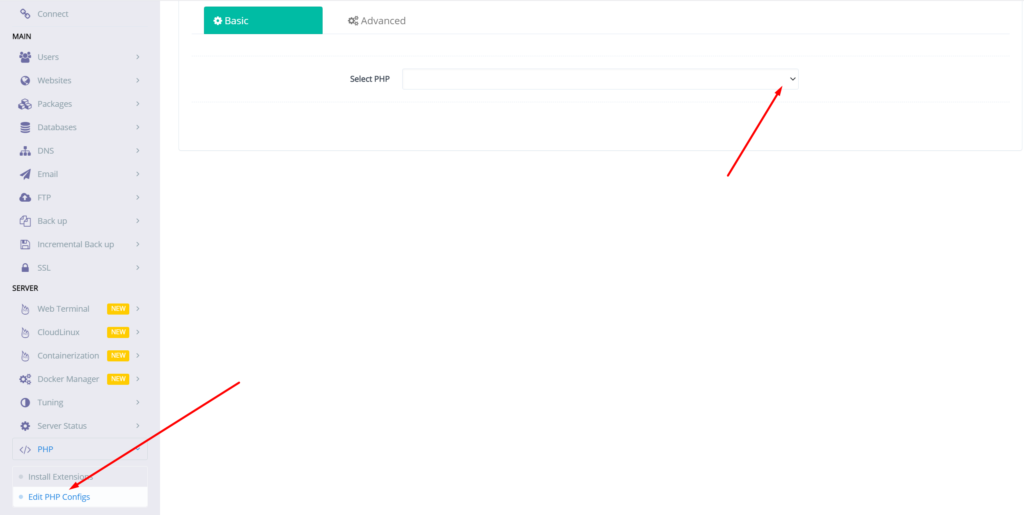
- Go to PHP → Eidt PHP Configs → Basic, and select the version of PHP on which you want to change the upload limit.
- Set the limit in upload_max_filesize according to your choice and then click on Save Changes
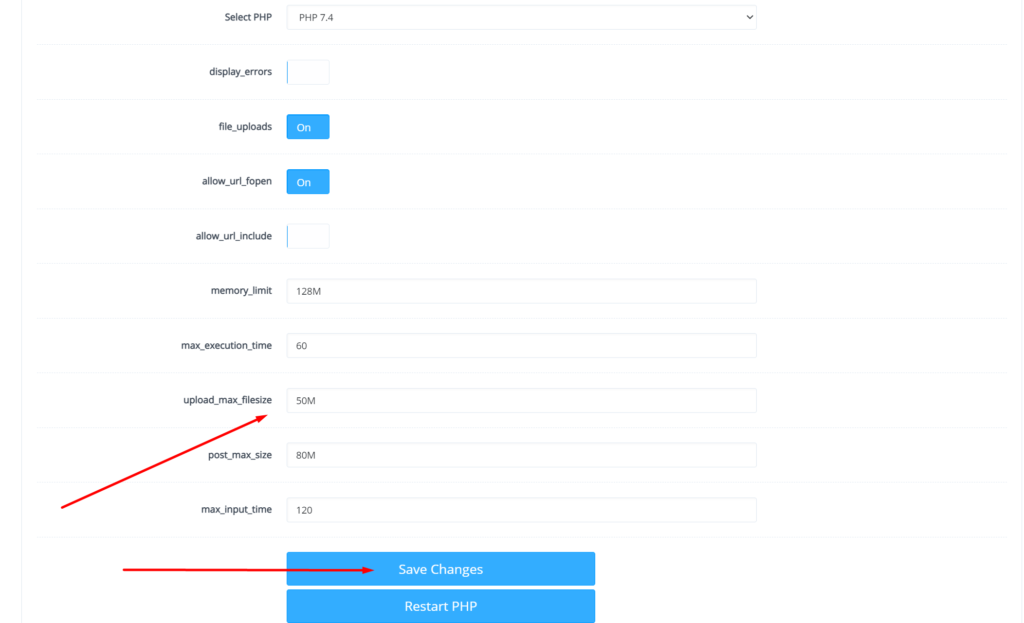
After doing that also press the Restart PHP button this thing will apply all changes on the server level and you can now be good to go with it.
You can also read about child domains and more in the next article.
Read more: How to create, delete, and manage Child Domains in CyberPanel?
Maybe you are new and also want to know How to create a Database in CyberPanel?
You can follow us on Facebook too.